
Consumers who want greater control over their digital media and files can build a home server from an old desktop, a refurbished mini-PC or a single-board computer. Open-source tools like Jellyfin, Komga and WireGuard can turn that hardware into a private streaming, reading and remote-access setup — with real responsibility for updates, backups and security.
Consumers who want greater control over their digital media and files can build a home server using an old desktop computer, a refurbished mini-PC or a single-board computer. With open-source software, a home server can stream a personal video collection, organize digital comics and e-books, and provide secure access to selected files while the owner retains control over the underlying hardware and storage.
The approach, commonly known as self-hosting, offers an alternative to relying entirely on subscription-based media platforms and cloud services. It is not a universal replacement for commercial services, but it can be useful for people who have a personal media collection, want to experiment with home networking or prefer to manage their own data.
What is a self-hosted home server?
A home server is a computer that runs applications and makes resources available to other devices over a local network or, when configured securely, through an internet connection.
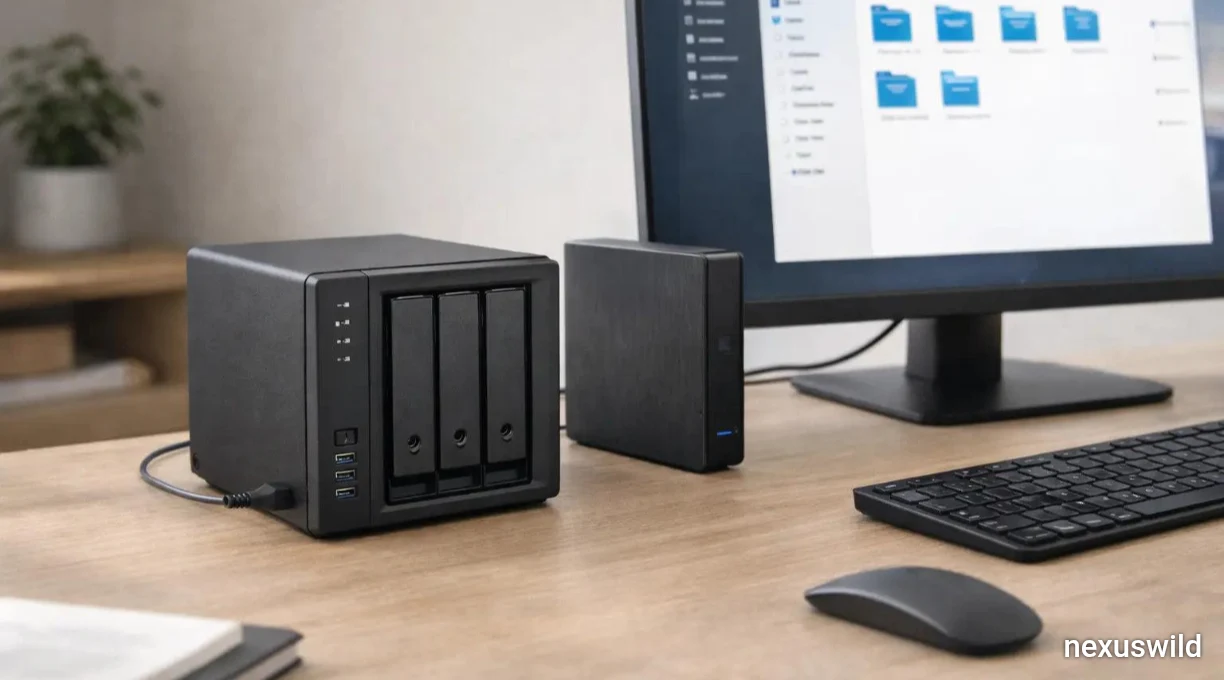
Unlike a typical desktop computer, which is used directly by a person, a server can operate in the background. A user might keep it running in a cupboard or on a desk and access its services from a phone, television, tablet or laptop.
The hardware does not necessarily need to be new. A retired desktop or laptop may have enough processing power for basic file storage, a media library or a small collection of applications. Refurbished mini-PCs offer a compact alternative, while single-board computers such as the Raspberry Pi are useful for selected lightweight workloads.
The right choice depends on the workload. Streaming high-resolution video, converting video formats in real time and serving multiple users can demand significantly more processing power than simply storing documents or hosting a small library.
The software behind a home server
Modern self-hosting projects often use Linux and container tools to run several applications on one machine.
Ubuntu Server and Debian are common operating-system options. Their server-oriented installations can run without a graphical desktop, reducing the need for local display hardware and keeping routine administration focused on the command line or web interfaces. Debian's official release documentation identifies its stable branch as the recommended production release.
Docker provides a way to package applications and their dependencies into containers. Docker Compose lets administrators define multiple services, their networks and persistent storage in a configuration file, then manage the group using a consistent set of commands. This can make a multi-service installation easier to reproduce and maintain.
Containers do not eliminate the need for administration. Users still need to manage updates, file permissions, storage locations, credentials and backups. Nor should containers automatically be treated as a complete security boundary: host configuration and network exposure remain important.
Jellyfin: Streaming a personal media collection
Jellyfin is an open-source media system designed to organize and stream a user's media library to supported devices. It can serve as an alternative to proprietary media-server software for people who want to manage their own collection. Its official documentation states that the project does not require premium licences or paid feature tiers.
After installing Jellyfin, users can point it toward folders containing media files, organize the library and access it through compatible clients. Depending on the device and file format, content may play directly or require conversion, commonly called transcoding.
That distinction matters when selecting hardware. A machine that handles direct playback comfortably may struggle when it must convert video for a device that cannot play the original format. Performance also depends on resolution, codecs, concurrent streams and whether supported hardware acceleration is available.
Jellyfin is intended for media that users have the right to store and distribute. Running a private server does not grant permission to copy, share or stream copyrighted material without authorization.
Komga: A personal library for comics and e-books
For readers who collect digital comics, manga, magazines and e-books, Komga offers a separate self-hosted library system.
The project supports formats including CBZ and CBR comic archives, EPUB books and PDF documents. Users can organize collections, browse them through a web interface and use compatible reading applications. Komga can run on systems that support Java or Docker, including Linux computers and many network-attached storage devices.
This can be helpful for people who want to manage their own reading collections instead of relying exclusively on a particular commercial library platform. The files remain on storage controlled by the server's owner, subject to the chosen backup and access arrangements.
As with video libraries, however, local storage does not override copyright restrictions. Users should retain and share content only where they have the appropriate rights.
WireGuard: Secure remote access
A home server becomes more useful when its owner can reach it away from home. That convenience also introduces a security challenge: services exposed directly to the internet may be targeted by unauthorized users.
WireGuard is a VPN protocol designed to establish encrypted network connections between configured peers. It can be used to create a private route back to a home network, allowing an authorized device to access selected internal services without publishing every application directly to the public internet. The official project provides setup instructions and configuration guidance.
A VPN is not automatically secure simply because it uses encryption. Administrators must protect private keys, configure peer access carefully, keep server software updated and understand which network resources remote devices can reach. A VPN can also require router configuration or other networking work, depending on the home connection.
For beginners, restricting access to trusted devices and avoiding unnecessary public exposure are sensible starting points.
Choosing hardware and estimating the real cost
A repurposed computer can reduce the initial cost because the main hardware is already available. Before installing server software, owners should check the machine's condition, power consumption, storage health, network connection and compatibility with the intended workload.
A single-board computer may be suitable for lightweight applications, but its purchase price is only one part of the budget. Storage devices, a power supply, cooling, a case and any necessary network accessories can add to the total. In October 2026, Raspberry Pi also announced another price increase affecting its 2GB Raspberry Pi 4 and Raspberry Pi 5 boards, citing rising memory costs. This is a reminder to compare current local prices rather than assume that every small board remains the cheapest option.
Storage deserves particular attention. Large video libraries can consume substantial disk space, and a server containing important documents should not rely on a single drive as its only copy. Separate backups, preferably with at least one copy disconnected or stored elsewhere, help reduce the risk of data loss from drive failure, theft or accidental deletion.
Electricity is another ongoing cost. A computer that remains powered on around the clock may consume more energy than expected, especially if it uses older desktop components or several hard drives. Measuring actual power consumption is more useful than estimating costs from the processor's advertised power rating alone.
What users gain — and what they take on
The main benefit of self-hosting is control. Users choose their hardware, applications, storage arrangements and maintenance schedule. Open-source projects can also reduce dependence on a single vendor's product roadmap or subscription tiers.
The trade-off is responsibility. Commercial streaming and cloud providers generally handle their own infrastructure, while home-server owners must troubleshoot outages, manage updates, maintain backups and protect remote access. Internet upload speeds and home-network reliability can also limit remote streaming and file transfers.
There is not enough evidence in the supplied brief to quantify how many consumers are leaving subscription platforms specifically because of self-hosting, or to establish that the trend is causing measurable changes in hardware sales. The software options themselves are verifiable; claims about market-wide churn and demand would require independent sales data or consumer research.
A practical starting point
Beginners can start with one computer and one application rather than building a complicated server immediately. A sensible first project might be installing Jellyfin to organize personal media, or using Komga for a digital reading collection. Once the basics are working, Docker Compose can help manage additional services.
Before allowing access from outside the home, users should establish strong authentication where supported, keep software current, back up important files and review their network exposure. They should also test how data can be restored before trusting the system with irreplaceable files.
Self-hosting will not replace every paid streaming or cloud service, and it is not automatically cheaper for every household. But for users who value control over their files and enjoy managing their own technology, a modest home server can bring several useful digital services together on hardware they own.
Nexuswild welcomes factual corrections. Email contact@nexuswild.com with evidence and the article URL.