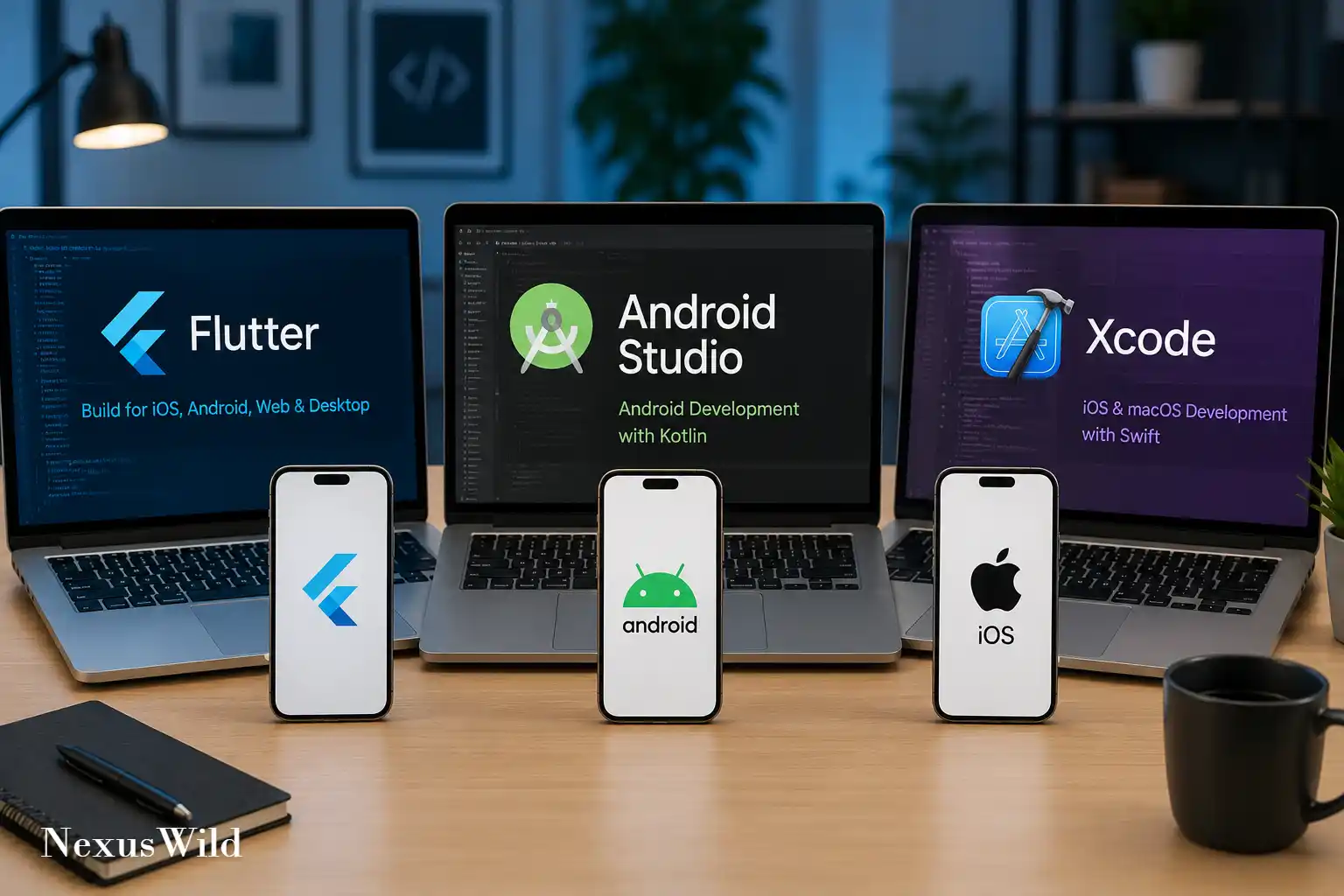

Mobile application development in 2026 is no longer a simple choice between Android and iPhone. Development teams must consider phones, tablets, foldables, watches, desktop computers, web browsers, connected vehicles and emerging spatial-computing devices.
The tools have changed as well. Declarative user-interface frameworks are now standard across the major ecosystems. AI coding assistants can create project structures, explain errors, generate tests and modify multiple files. Cross-platform frameworks have improved their rendering, native integration and development workflows.
The central decision, however, remains familiar: should a team build one cross-platform application or maintain separate native applications for Android and Apple platforms?
Flutter, Android Studio and Xcode are often compared as if they were three competing versions of the same product. They are not.
- Flutter is Google’s cross-platform UI framework and software development kit.
- Android Studio is Google’s official integrated development environment for Android.
- Xcode is Apple’s development environment, compiler toolchain and distribution system for Apple platforms.
A developer can use Android Studio to write Flutter applications. A Flutter developer targeting iOS must also use Xcode for building, signing and distributing the Apple version. The meaningful comparison is therefore between three development approaches:
- Flutter and Dart for a shared cross-platform application
- Native Android development with Kotlin and Jetpack Compose
- Native Apple development with Swift, SwiftUI and Xcode
Each approach can produce a high-quality application. The right choice depends on the platforms being targeted, the product’s hardware requirements, the team’s skills and the expected lifetime of the software.
Verified 2026 Version Snapshot
As of August 25, 2026, the latest stable Flutter release is Flutter 3.47, released on August 12. It is paired with Dart 3.13, which introduced primary constructors, formatting refinements and additional workspace tooling. Flutter 3.47 also moved its Widget Preview feature to stable status.
The latest stable Android development environment is Android Studio Quail 3, version 2026.1.3 Patch 1. Google identifies it as the current stable-channel release. It supports Android Gradle Plugin versions 7.1 through 9.3 and includes expanded AI agent capabilities, Planning Mode and tools for resolving merge conflicts.
The current stable Kotlin release is Kotlin 2.4.10, released on July 14, 2026. Jetpack Compose’s August 2026 stable release uses Compose BOM 2026.08.00, with version 1.12 across the core Compose modules. Compose 1.12 requires compileSdk 37 and Android Gradle Plugin 9.1.2 or later.
Apple’s current production release is Xcode 26.6, released on June 25, 2026. It includes the Swift 6.3.3 compiler and SDKs for iOS 26.5, iPadOS 26.5, macOS 26.5, watchOS 26.5, tvOS 26.5 and visionOS 26.5. Xcode 26.6 requires macOS Tahoe 26.2 or later.
(Note: Xcode 27 beta 6 and Swift 6.4 were available for testing in August 2026, but they were prerelease products.)
What Flutter Is
Flutter is an open-source UI framework and SDK developed by Google. Developers write applications in Dart and use Flutter’s widget system to construct the interface.
Instead of relying primarily on Android or iOS interface components, Flutter usually draws its own interface through its rendering engine. This gives developers detailed control over layout, animation, typography and visual behaviour.
A Flutter project can target Android, iOS, web, Windows, macOS and Linux from a largely shared codebase. The amount of reusable code depends on the product. Business logic, networking, state management and many interface components can usually be shared. Authentication, payments, notifications, background processing and hardware integrations may still require platform-specific configuration or code.
Flutter should not be understood as a promise that every platform will behave identically. A desktop application requires different navigation, input and window behaviour from a phone application. An iPhone interface should respect Apple conventions, while an Android application should behave naturally within the Android ecosystem. Flutter can share the implementation, but developers remain responsible for adapting the experience.
Flutter and Dart Development in 2026
Dart is a statically typed programming language designed to support client application development. Flutter uses just-in-time (JIT) compilation during development and ahead-of-time (AOT) compilation for native release builds.
JIT compilation enables Flutter’s hot reload workflow. A developer can change a widget, apply the update and usually retain the current application state. This is particularly useful when adjusting layouts, animations and component styling.
For release builds on Android and iOS, Dart code is compiled ahead of time into native machine instructions. Flutter’s official performance guidance confirms that release and profile builds use AOT compilation, while debug builds use JIT compilation. Performance should therefore be measured on physical hardware in profile or release mode, not inferred from an emulator or debug build.
Flutter 3.47 made the Widget Previewer stable. It can render individual widgets separately from the complete application and supports inspection, search, filtering and multiple preview configurations. Android Studio, IntelliJ IDEA and Visual Studio Code can launch the preview environment automatically for supported Flutter projects.
Flutter also provides DevTools for widget inspection, CPU profiling, memory analysis, network inspection, source-level debugging, and more. These tools are valuable, but they do not eliminate the need for testing on real Android and Apple devices.
Native Android Development with Android Studio
Android Studio is the official IDE for Android development. It combines the code editor, Android SDK management, Gradle build tools, Android Emulator, profilers, layout inspection, debugging and Google service integrations.
Kotlin is the primary language for modern native Android projects. Java remains supported, and C or C++ can be introduced through the Android Native Development Kit when an application requires native libraries or specialised low-level processing.
Jetpack Compose is Google’s recommended modern toolkit for native Android interfaces. It uses Kotlin to define UI declaratively, which means developers describe the interface for a particular state rather than manually updating every view.
Compose works with existing Android View-based applications, allowing gradual migration instead of requiring a complete rewrite. The August 2026 Compose 1.12 release added capabilities including mesh gradients, wide-colour-gamut and HDR rendering support, grid improvements, Credential Manager integration and performance and testing updates.
Native Android development gives a team immediate access to Android APIs, device capabilities and new platform features. Camera extensions, background services, widgets, foldable layouts, Android Auto, Wear OS, Credential Manager and device-management APIs normally appear first in the native Android ecosystem. This direct access is one of the strongest reasons to choose Kotlin and Compose for a product built specifically for Android.
Native Apple Development with Xcode
Xcode is Apple’s complete development environment for iPhone, iPad, Mac, Apple Watch, Apple TV and Apple Vision Pro applications.
It includes the Swift compiler, platform SDKs, Interface Builder, SwiftUI previews, Simulator, debugging, code signing, performance profiling, testing and App Store submission tools.
Swift is Apple’s principal language for new platform development. Objective-C remains supported for older applications and interoperability. SwiftUI is Apple’s declarative interface framework, while UIKit and AppKit continue to support established applications and features that are not completely represented in SwiftUI.
SwiftUI can be adopted incrementally. A team can add SwiftUI screens to a UIKit application or use UIKit components within a SwiftUI project. This matters for large applications that cannot justify a complete interface rewrite.
Xcode Previews can display SwiftUI, UIKit and AppKit interfaces in a preview canvas. Developers can test dark mode, orientation, text sizes and interactive states without repeatedly navigating through the complete application.
Native Apple development is the clearest route when an application depends heavily on Apple-specific technologies such as HealthKit, Apple Pay, Passkeys, Live Activities, App Intents, widgets, watchOS complications, CarPlay, Metal or visionOS.
Cross-Platform Development versus Native Development
Flutter offers one main codebase for several platforms. Native development normally requires separate Android and Apple projects, written in different languages and built with different toolchains. That difference affects staffing, testing, release management and long-term maintenance.
Development Speed
Flutter can shorten initial development when Android and iOS versions share the same product logic and broadly similar interfaces. One team can implement a feature once, test the shared behaviour and release it on both platforms. The advantage becomes smaller when the application requires substantially different platform experiences.
Separate native teams duplicate some work, particularly networking, validation, analytics and business rules. They can, however, implement platform features directly without waiting for framework or plugin support.
For an ordinary business application or MVP, Flutter often provides the faster route to two mobile platforms. For a deeply integrated system application, native development may be faster because fewer abstraction layers are involved.
Code Reuse
Flutter can share UI components, domain logic, networking, validation, state management and tests across Android and iOS. Code reuse is valuable only when the shared code remains understandable. A large project filled with platform checks, conditional imports and plugin workarounds may be harder to maintain than two clearly structured native applications.
Native Android and iOS projects do not normally share interface code. Teams can still share API contracts, design systems, backend services and product specifications.
UI Consistency and Platform Design
Flutter is particularly strong when a product needs a controlled visual identity across platforms. Its widget and rendering systems make custom layouts and animations relatively consistent.
That consistency can become a disadvantage if the application ignores platform conventions. Android and iPhone users expect different navigation behaviour, back gestures, menus, typography and system integrations.
Compose naturally follows Android’s platform direction. SwiftUI naturally follows Apple’s design and accessibility systems. Native applications therefore tend to receive new visual conventions and system behaviours sooner.
Performance
Native Android and Apple applications have the most direct access to their platform frameworks. There is no cross-platform messaging layer between application code and most operating-system APIs. This is useful for workloads involving intensive graphics, media processing, low-latency audio, advanced camera pipelines or newly released hardware capabilities.
Flutter release applications compile Dart ahead of time and can deliver smooth interfaces when they are properly designed. Performance cannot be reduced to a universal claim that native is always fast or Flutter is always slower. Application architecture, image handling, network behaviour, database access, widget rebuilding and background work often matter more than the framework name.
Startup Time and Application Size
No credible universal number can describe the startup or download-size difference between Flutter and native applications. Results depend on dependencies, assets, build settings, device architecture, operating-system version and store-side processing.
A minimal Flutter application generally carries framework and engine code that a minimal native application does not need to bundle in the same way. Native applications can therefore have an advantage at the smallest end of the size range. That difference may become less important as an application adds images, databases, media and third-party libraries.
Supported Platforms and OS Requirements
- Flutter officially supports deployment to Android, iOS, Windows, macOS, Debian, Ubuntu and modern web browsers.
- Android Studio (Native Android) targets Android devices, foldables, watches, TVs, and Automotive configurations. Android Studio itself runs on Windows, macOS, Linux, and ChromeOS.
- Xcode targets Apple’s complete platform family (iOS, iPadOS, macOS, watchOS, tvOS, visionOS). Crucially, Xcode runs only on macOS, meaning any team (even a Flutter team) wanting to build an iOS app must have access to a Mac.
AI-Assisted Mobile Development in 2026
AI coding tools are now integrated more deeply into all three workflows, but their capabilities and delivery models differ.
Gemini in Android Studio
Gemini in Android Studio can explain code, generate tests, suggest changes and assist with Android APIs. Agent Mode can plan and perform work across multiple files rather than producing only a code snippet.
By Android Studio Quail 3, Google had added Planning Mode, allowing developers to review and revise an implementation plan before the agent modifies the project. The release also added an MCP marketplace and an agent-assisted merge-conflict action. These capabilities can reduce routine work, but generated changes still require code review, compilation, testing and security analysis.
Coding Intelligence in Xcode
Xcode includes predictive code completion powered by an on-device model on Apple silicon. It also supports generative coding tools and agents.
Xcode 26.3 introduced integrated agentic coding with support for OpenAI Codex and Anthropic Claude Agent, alongside connections through the Model Context Protocol. Xcode 26.6 added Google Gemini support and compatibility with additional agents through the Agent Client Protocol.
Depending on the configured agent and permissions, Xcode can help generate code, search Apple documentation, build projects, run tests, fix errors and iterate using previews.
AI-Assisted Flutter Development
Flutter does not depend on one exclusive AI assistant. Developers can use AI features available in Android Studio, Visual Studio Code and other compatible development tools.
Flutter’s official documentation now includes guidance for AI rules, agent-oriented workflows, specification-driven development and automated hot reload. Google provides official Flutter AI development guidance, but generated Flutter code must still be checked for widget lifecycle mistakes, unnecessary rebuilding, insecure storage, outdated packages and incorrect platform assumptions.
Which Should You Choose in 2026?
There is no universal winner. The right decision depends on practical questions about your target platforms, team skills, and product requirements.
- Choose Flutter when Android and iOS are equally important, the application has substantial shared functionality, the team is small or medium-sized, and rapid delivery matters. It is particularly suitable for MVPs, branded consumer interfaces, business applications and products that may later extend to desktop or web.
- Choose native Android development with Android Studio, Kotlin and Jetpack Compose when Android is the main platform, when the application depends heavily on Android services or device categories, or when the team needs immediate access to new Android APIs.
- Choose Xcode, Swift and SwiftUI when the product is centred on iPhone or the broader Apple ecosystem. This approach provides the closest integration with Apple hardware, interface conventions, SDKs, accessibility systems and distribution tools.
- Choose separate native applications when performance, platform fidelity, specialised APIs and long-term platform control matter more than the cost of maintaining two implementations.
A hybrid strategy is also valid. A company can use Flutter for shared product screens while implementing selected platform features natively. The strongest choice is the one that fits the product’s real technical requirements, not the framework that appears fastest in a demonstration.
Further reading and useful links
Reader questions
Frequently asked questions
What is the difference between Flutter, Android Studio, and Xcode?
Flutter is a cross-platform UI framework and SDK created by Google to build apps from a single codebase. Android Studio is Google's official IDE for native Android development. Xcode is Apple's development environment required for building native apps for the Apple ecosystem.
Can I build an iOS app on Windows using Flutter?
You can write the Flutter code on Windows, but Apple requires Xcode (which only runs on macOS) to compile, sign, and release an iOS application. You will need access to a Mac or a cloud-based macOS build service.
Does Flutter perform as well as native apps?
Flutter uses ahead-of-time (AOT) compilation for release builds, providing excellent performance for most consumer and enterprise applications. However, native development provides the highest performance ceiling and fewest abstraction boundaries for intensive graphics, media processing, or low-latency audio.
How are AI coding assistants changing mobile development in 2026?
Android Studio features Gemini with 'Agent Mode' and 'Planning Mode' to modify multiple files and resolve merge conflicts. Xcode 26.6 integrates agentic coding with support for OpenAI Codex, Anthropic Claude, and Gemini to generate code, run tests, and iterate using previews.
Nexuswild welcomes factual corrections. Email contact@nexuswild.com with evidence and the article URL.