
Instagram has introduced Edits for macOS a free desktop app that brings video editing tools to Mac users. This move expands the capabilities of the Edits platform beyond devices. The app was announced on November 5 2026. It offers a workspace, a professional-style timeline, 4K exports without watermarks and support for AI agents via the Model Context Protocol (MCP).
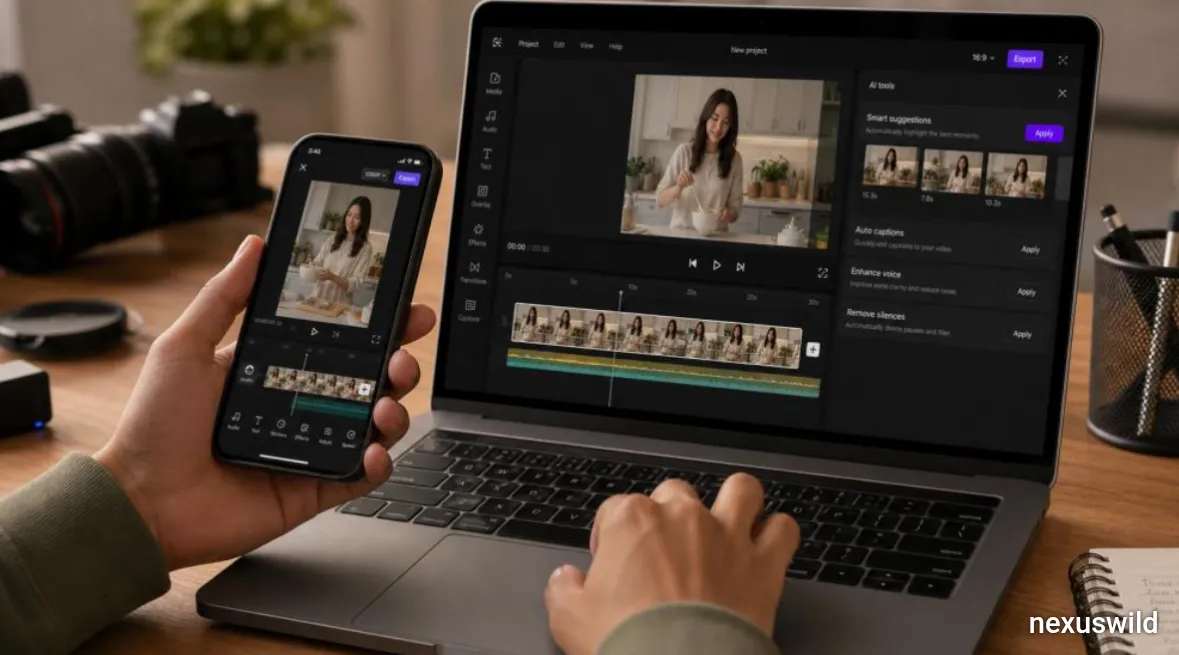
This launch is part of Metas strategy to compete directly in the creator software market. By offering a desktop version Instagram aims to attract users who need control over their video projects. These users often require precision than a smartphone screen and touch controls can offer. The Mac version includes features like a -track timeline, which allows creators to layer video and audio on separate tracks. This makes it easier to manage edits involving multiple clips, sounds and effects.
Users can also use keyframe controls to create animations and transitions. They can see audio waveforms to make accurate cuts. Tools for trimming, splitting and rearranging clips are built in. The app provides colour adjustment tools such as colour wheels and curves. Creators can import their LUTs, which are look-up tables used to apply consistent styles to footage. Custom font imports allow for personalized text and title designs.
Other features include captions in several languages, access to royalty-free audio libraries and a variety of sound and video effects. The app supports both vertical aspect ratios making it useful for different platforms and content types. One of the notable features is the integration with the Model Context Protocol or MCP. This open protocol allows AI agents to communicate with tools using a structured interface.
In Edits for Mac this means that compatible AI agents can directly interact with the editing functions. For example a creator could ask an AI assistant like Meta’s Muse to review footage organize clips and build a cut. The agent can then use the app’s tools to perform these tasks. This is different from asking an AI chatbot to suggest ideas or write a script. With MCP the agent can actually manipulate the video project inside the software.
This is not an autonomous system. Instead it is meant to assist creators in time-consuming parts of the process. The creator still controls the decisions. They can review the AI-generated work make adjustments and approve the result. While Claude is one assistant in the MCP ecosystem the integration is not limited to one AI. Compatibility depends on the agent. How it is set up.
The desktop app allows 4K exports without watermarks. This gives creators flexibility when sharing videos on other platforms. It also supports publishing to Instagram. Users can tag accounts. Add location information. The app includes support for Trial Reels, a format to eligible creators. This reduces the steps between editing and sharing. Of finishing an edit on a computer then transferring the file to a phone creators can do most of the work in one place.
However the app currently only works on macOS. It requires an Apple Silicon Mac with an M1 chip or newer. There is no version for Windows or Linux at launch. Another limitation is that projects cannot be seamlessly edited across mobile and desktop devices. Instagram says this feature is under development. Some creative assets like audio and text styles can transfer,. Not the full project. Instagram plans to update the app with weekly improvements expected.
The launch puts Instagram in competition with desktop editing tools like CapCut. CapCut already has a presence among creators who need desktop editing. Professional software like Adobe Premiere Pro and Final Cut Pro offer advanced features.. Edits takes a different approach. It combines editing, direct Instagram publishing and AI agent integration in a free app. This could be attractive to creators and social media teams.
For someone making short-form content it might be possible to edit, refine and publish without switching between apps. Still the Mac version is not a replacement for professional tools. Advanced workflows, specialized effects, collaboration and detailed post-production tasks may still require established software. The desktop release is better seen as an expansion of Instagram’s creator toolkit. It does not signal the end of editing applications.
The MCP integration hints at a change in how creative software works with AI. Traditional editing software relies on input. AI can help with scripting, captioning and feedback.. Connecting an agent directly to editing tools adds a new level of interaction. If reliable this could let creators automate tasks like organizing clips preparing sequences or making edits. This could be especially useful for teams producing short videos.
It also opens opportunities for developers. Of building a full video editor they could create AI agents that work with apps that expose their tools via MCP. The real value will depend on how agents understand footage follow instructions make complex decisions and keep the creator’s style. Human review remains essential for commercial or story-driven content.
Three key developments will determine how impactful the desktop launch becomes. First how well MCP workflows. How many AI agents become compatible. Second whether a Windows version arrives to reach an audience. Third whether cross-device project continuity is added. That would make the app more useful for creators who switch between devices.
For now Instagram has combined a Mac editing environment with AI-assisted tools. The launch does not replace software.. It shows that the next phase of creator tools may not just be about editing with AI. It may also be, about letting AI agents actually operate inside the editing software.
Nexuswild welcomes factual corrections. Email contact@nexuswild.com with evidence and the article URL.